

How to Shop Online for Affordable Essentials Effectively
on Dec 25, 2025
Finding budget-friendly home and beauty products online can feel impossible, especially with over 60 percent of urban shoppers admitting to missing out on the best deals. Everyday challenges like out-of-stock items and confusing checkout processes leave many, including British consumers, spending more than planned. This guide delivers simple, actionable steps to help you save money, secure your digital shopping account, and make smart choices during every phase of the online buying journey.
Quick Summary
| Key Message | Explanation |
|---|---|
| 1. Set Up a Secure Account | Choose a strong, unique password and enable two-factor authentication to protect your online shopping. |
| 2. Compare Product Options | Use filtering and comparison tools to effectively evaluate products based on specifications and price. |
| 3. Review Your Cart Thoroughly | Check item details and quantities in your cart to avoid mistakes before completing your purchase. |
| 4. Seek Out Discounts | Look for promotional codes and special offers to maximise savings during checkout. |
| 5. Track Your Order Progress | Use confirmation and tracking information to stay updated on the delivery status of your purchase. |
Step 1: Review and set up your shopping account
Setting up your online shopping account is the critical first stage in creating a seamless digital purchasing experience. You will establish secure access and prepare your payment methods for smooth transactions across multiple platforms.
The process involves several key components that establish secure online shopping foundations. Begin by selecting a strong password that combines uppercase and lowercase letters, numbers, and special characters. Your chosen password should be unique and not replicated across other accounts. Next, link a valid payment method such as a credit card or bank account that supports online transactions. Verify that your selected payment option allows international purchases if you plan to shop across different regions.
When configuring your account, review the privacy settings carefully. Select options that protect your personal information while allowing necessary transaction capabilities. Most reputable online retailers will offer two factor authentication as an additional security layer. Enable this feature to prevent unauthorised access and protect your financial details from potential digital threats.
Professional Guidance: Maintain a dedicated email address specifically for online shopping accounts to streamline communication and reduce potential spam or security risks.
Here’s a summary of security features often found in online shopping accounts and their roles:
| Security Feature | Description | Benefit to Shopper |
|---|---|---|
| Strong Passwords | Combines letters, numbers, symbols | Reduces risk of unauthorised access |
| Two Factor Authentication | Uses secondary verification method | Enhances protection for login attempts |
| Dedicated Shopping Email | Separate email for shopping activity | Lowers exposure to spam and phishing |
Step 2: Browse and compare product categories
Browsing and comparing product categories allows you to make informed purchasing decisions by understanding the range of available options and their unique characteristics. This step helps you navigate through multiple product offerings efficiently and effectively.

Product category analysis provides a strategic approach to exploring different merchandise selections. Start by identifying the specific category you are interested in exploring, such as home goods, electronics, or personal care items. Use the website’s navigation menu to select your desired category, then apply filtering options like price range, brand, features, and customer ratings. These tools enable you to narrow down choices and compare products side by side.
When comparing products, pay attention to detailed specifications, customer reviews, and price points. Look for comprehensive product descriptions that highlight key features, materials, dimensions, and performance characteristics. Most online platforms offer comparison tools that allow you to select multiple items and view their attributes simultaneously. This functionality helps you make objective assessments based on your specific requirements and budget constraints.
Professional Guidance: Create a spreadsheet to track product details, prices, and features when comparing multiple items to help streamline your decision making process.
Step 3: Select items and add to your cart
Adding items to your online shopping cart is a crucial step in the purchasing process that requires careful consideration and strategic selection. Understanding how to efficiently navigate product choices will help you make informed buying decisions and maximise your shopping experience.
Shopping cart functionality involves more than simply clicking an add to cart button. When selecting items, carefully review product details including size, colour, quantity, and specific variations available. Most online platforms provide dropdown menus or selection options that allow you to customise your choices precisely. Pay attention to any additional options like gift wrapping, warranty extensions, or complementary products that might enhance your purchase.
Before finalising your cart, perform a comprehensive review of selected items. Check quantities, confirm product specifications, and ensure that everything matches your original requirements. Many websites offer real time cart updates, allowing you to modify selections instantly. Some platforms also provide recommendations for similar or complementary products based on your current choices, which can help you discover additional items that meet your needs.
Professional Guidance: Always cross reference product specifications with your specific requirements and take screenshots of your cart contents for future reference.
Step 4: Apply discounts and check for offers
Learning how to maximise your savings by applying discounts and identifying special offers is a critical skill in online shopping that can significantly reduce your overall spending. This step will help you unlock potential savings across multiple product categories.
Digital discount verification requires careful attention to detail and strategic searching. Start by checking the website’s promotional banner for current deals, seasonal discounts, or welcome offers for new customers. Look for discount code fields during checkout where you can enter promotional codes. Many websites display active promotions directly on product pages or have a dedicated offers section. Some platforms also provide automatic discount applications based on bulk purchases or specific product combinations.
To maximise your potential savings, consider creating accounts on websites that offer loyalty programmes or newsletter subscriptions. These often provide exclusive discount codes or early access to sales. Compare the final price after applying discounts across different platforms to ensure you are getting the most competitive rate. Some websites automatically apply the best available discount, while others require manual code entry. Be sure to check the terms and conditions of each offer to understand any specific requirements or restrictions.
Professional Guidance: Always keep a separate email address for shopping subscriptions to manage promotional communications without cluttering your primary inbox.
Step 5: Confirm your cart and complete checkout
The final stage of online shopping requires careful attention to detail to ensure a smooth transaction and secure purchase. Understanding how to confidently review and complete your order will help prevent potential errors and provide a satisfactory shopping experience.
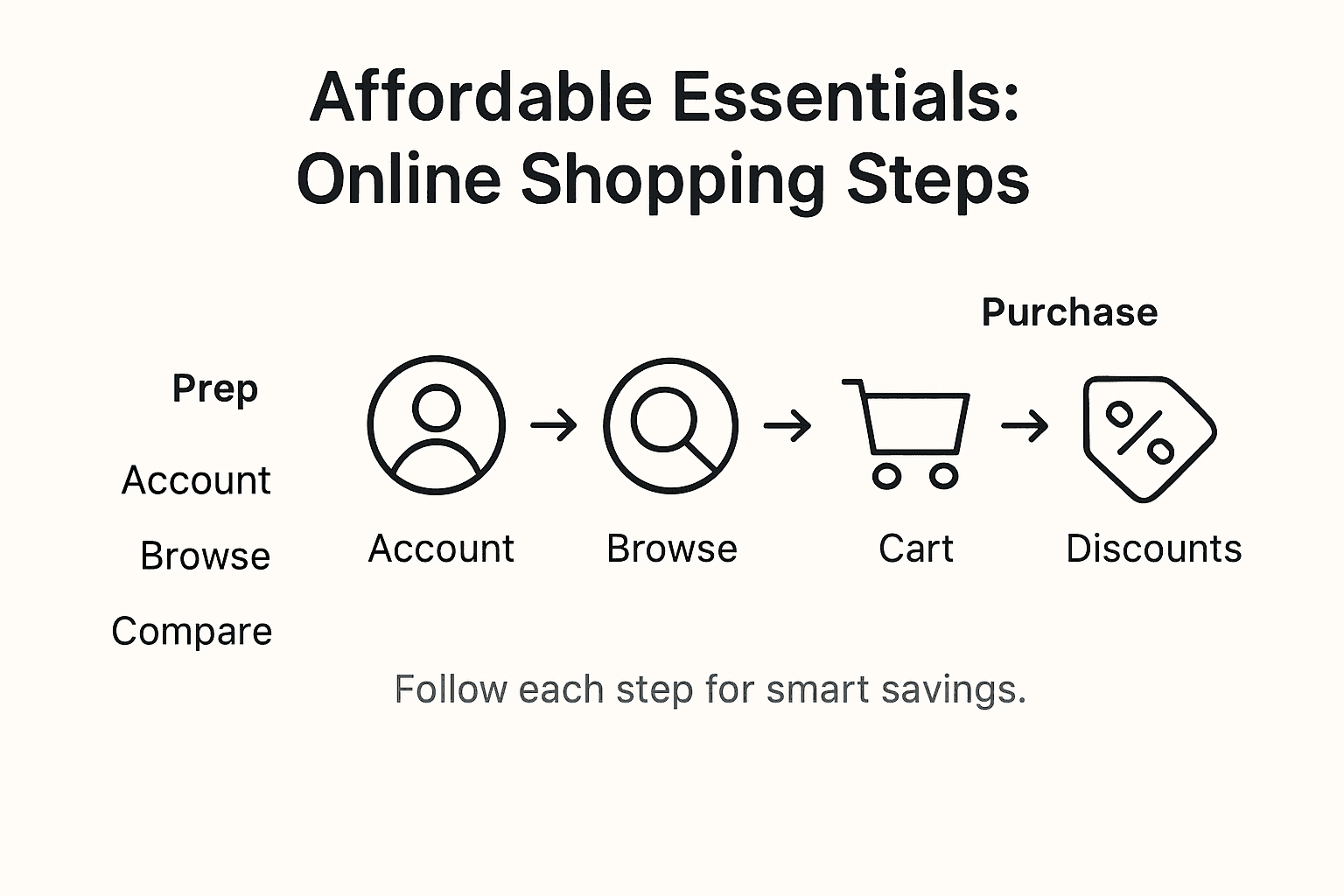
Checkout usability research highlights the importance of meticulously reviewing your cart before finalising the purchase. Begin by carefully checking each item for correct quantity, size, colour, and specifications. Verify the total price including shipping costs and any applied discounts. Ensure all product details match your original selection and that you have not accidentally added or excluded any items. Take a moment to confirm the delivery address and payment method are accurate and current.
During the checkout process, pay close attention to the payment section. Select your preferred payment method and enter all required information precisely. Most platforms offer multiple secure payment options including credit cards, digital wallets, and bank transfers. If you encounter any error messages, read them carefully and address the specific issue. Some websites provide real time validation to help you complete forms correctly. After entering all necessary details, review the order summary one final time before clicking the confirmation button.
Professional Guidance: Create a dedicated email folder for online purchase confirmations to maintain an organised record of your transactions and easily track shipping information.
Step 6: Verify your order and track delivery
After completing your purchase, confirming your order details and understanding the delivery process becomes crucial to ensuring a satisfactory shopping experience. This final stage helps you monitor your purchase and stay informed about its journey from warehouse to doorstep.
Delivery tracking research demonstrates the importance of proactively managing your online order. Immediately after purchase, check your email for an order confirmation containing essential information such as order number, estimated delivery date, and tracking details. Most retailers provide a link to track your package or offer a tracking number for the shipping carrier. Save this information in an easily accessible location and consider creating a dedicated digital folder for order documentation.
To effectively track your delivery, use the provided tracking number on the carrier’s website or the retailer’s order tracking system. Pay attention to estimated delivery windows and any potential updates or changes to the original timeline. Some platforms offer real time tracking that allows you to see precise location and movement of your package. If you notice any discrepancies or unexpected delays, contact customer support promptly with your order number and specific concerns.
Professional Guidance: Screenshot your order confirmation and tracking details as a backup in case you need to reference them during the delivery process.
Below is a comparison of typical order tracking methods and their advantages:
| Tracking Method | How It Works | Key Advantage |
|---|---|---|
| Retailer Website Portal | Access order status via your account | Centralises all orders |
| Courier Tracking Website | Enter tracking number on courier site | Real time delivery updates |
| Email Confirmation Links | Click links provided in order emails | Quick access from inbox |
Shop Smart and Save Big on Affordable Essentials Today
Struggling to find affordable essentials without compromising on quality can be frustrating when shopping online. This article highlights key challenges such as securely setting up your shopping account, savvy browsing across diverse product categories, and applying discounts to maximise savings. If navigating product options, verifying offers, and completing checkout feels overwhelming, you are not alone. Efficient shopping requires clear organisation, attention to detail, and access to reliable platforms that feature both variety and value.
At Stomart.co.uk, we understand your goal to shop online effectively while discovering affordable essentials across trusted categories like home goods, health and beauty, kitchen and garden, and tech accessories. Our website is designed to simplify product discovery with easy navigation, current promotions, and secure checkout options. Why wait to make your essentials shopping hassle-free? Explore featured deals and trending products on Stomart.co.uk now and enjoy the convenience of competitive pricing, organised categories, and exclusive discounts tailored for shoppers eager to save smart. Take control of your online shopping experience today and make every purchase count.
Frequently Asked Questions
How can I create a secure online shopping account?
To create a secure online shopping account, choose a strong password that combines letters, numbers, and symbols. Ensure you verify your payment method and enable two-factor authentication for added security.
What should I consider when comparing product categories online?
When comparing product categories, pay attention to product specifications, customer reviews, and price points. Use filtering options to narrow down your choices and create a spreadsheet to track key details.
How do I add items to my online shopping cart effectively?
To add items to your online shopping cart effectively, confirm each item’s specifications, such as size and colour, before making your selection. Review your cart contents thoroughly before proceeding to checkout to avoid errors.
How can I maximise savings by applying discounts during online shopping?
To maximise savings, check for current promotions on the website and enter any available discount codes at checkout. Consider subscribing to newsletters for exclusive offers that could save you up to 20% on future purchases.
What steps should I follow to verify my order before completing the checkout process?
Before completing your checkout, meticulously review your cart for correct quantities and specifications. Ensure that your delivery address and payment method are accurate to prevent delays in your order.
How can I effectively track the delivery of my online purchase?
To effectively track your delivery, check your order confirmation email for a tracking number and use it on the carrier’s website. Monitor any updates for estimated delivery windows and address any discrepancies immediately.