

What Is Ergonomic Furniture and Its Impact on Health
on Feb 24, 2026Choosing the right home office chair or desk often feels confusing when so many products promise comfort but deliver less. Remote workers across Canada, the United States, and Europe know that long hours quickly reveal whether a seat supports your spine or creates new aches. Proper ergonomic furniture offers crucial adjustability and personalisation to fit your unique needs, not just generic comfort. This guide clarifies what true ergonomics means, debunks common myths, and shows how these features really impact both your health and productivity.
Key Takeaways
| Point | Details |
|---|---|
| Ergonomic Furniture is Essential | It is scientifically designed to adapt to your body, providing necessary adjustability and support to prevent musculoskeletal strain. |
| Customisation is Key | Each individual’s body requires specific adjustments; a one-size-fits-all approach will not provide adequate support. |
| Investing in Ergonomics is Cost-Effective | Quality ergonomic furniture prevents chronic pain and related medical expenses, ultimately saving you money in the long run. |
| Holistic Setup Matters | Effective ergonomic solutions extend beyond furniture to include proper positioning of screens, keyboards, and lighting for comprehensive support. |
Ergonomic furniture defined and common myths
Ergonomic furniture is far more than a marketing buzzword or a luxury add-on. It’s scientifically designed furniture that adapts to your body rather than forcing you to adapt to it. The key difference? Adjustability and personalisation built into every piece.
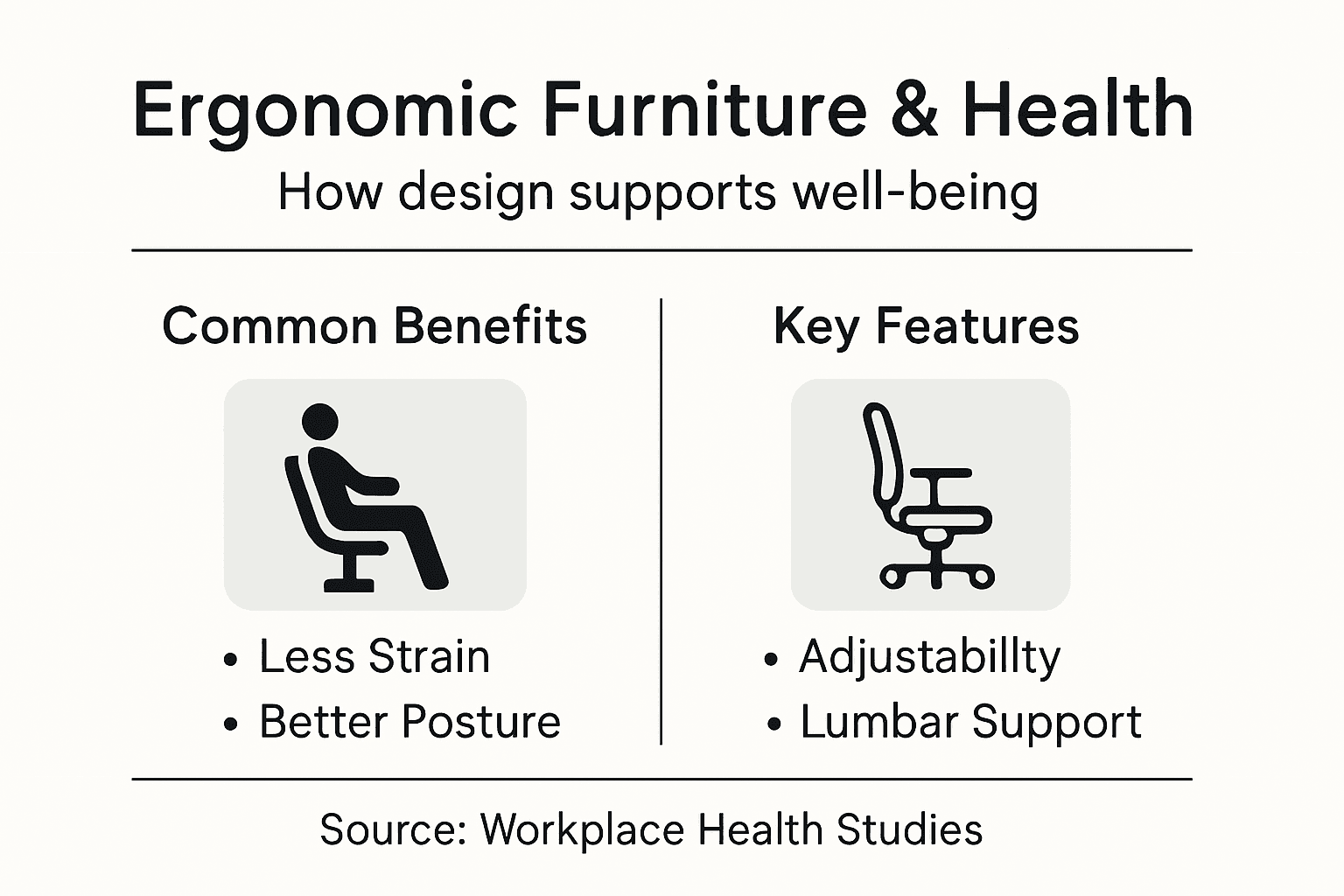
Unlike standard office furniture, ergonomic pieces offer customisable features such as lumbar support, seat height adjustment, armrest positioning, and backrest tilt. These aren’t optional extras—they’re essential for reducing musculoskeletal strain during long work sessions at home.
Here is a comparison of standard office furniture versus ergonomic furniture for home workspaces:
| Aspect | Standard Office Furniture | Ergonomic Furniture |
|---|---|---|
| Adjustability | Minimal adjustments, often fixed height | Multiple adjustments for personal fit |
| Long-term Comfort | Can cause discomfort over time | Maintains support during long sessions |
| Health Impact | Greater risk of strain and injury | Reduces musculoskeletal disorders |
| Productivity Effect | May lower focus due to discomfort | Supports steady, productive workflow |
What ergonomic furniture actually does
Ergonomics is the science of fitting equipment and environments to human capabilities, not the reverse. When you work from home, your furniture becomes your interface with your job. Poor design forces your body into compromised positions that strain your neck, shoulders, wrists, and lower back.
Proper ergonomic furniture accomplishes several critical tasks:
- Reduces pressure on joints and muscles during extended sitting
- Supports your spine’s natural curve, preventing postural collapse
- Decreases fatigue by distributing your weight evenly
- Minimises repetitive strain injuries over months and years
- Improves focus and productivity by eliminating physical discomfort
Your body sends pain signals only after damage has accumulated—investing in proper furniture now prevents problems years later.
Common myths holding you back
Misunderstandings about ergonomic furniture often prevent remote workers from getting what they actually need. Here are the biggest ones:
Myth 1: One setup suits everyone. Your colleague’s ideal chair height or desk distance won’t work for your body. Ergonomic design for home workspaces requires customisation to your specific measurements and working style.
Myth 2: Ergonomic furniture costs a fortune. Quality ergonomic pieces exist at various price points. The real cost is ignoring the problem—chronic pain, decreased productivity, and potential medical expenses far exceed the price of proper furniture.
Myth 3: It’s just about comfort. Comfort is pleasant but secondary. Ergonomic furniture focuses on injury prevention and biomechanical efficiency. You might feel comfortable in a poorly designed chair temporarily, then experience pain weeks later.
Myth 4: Special gadgets solve everything. Ergonomic success requires a system, not just one perfect product. Lighting, desk height, monitor placement, keyboard position, and chair design all work together.
Real ergonomics addresses how your entire workspace functions together, not individual pieces in isolation.
Pro tip: Start by identifying your current pain points—neck stiffness, lower back ache, or wrist tension—then select furniture that specifically addresses those areas rather than buying an entire setup at once.
Types of ergonomic furniture for home offices
Your home office setup doesn’t require every piece of ergonomic furniture available. Instead, focus on the core items that directly support your body during long working hours. The right combination addresses your specific pain points and work style.
Ergonomic furniture for home offices comes in several key categories, each solving different problems. You’ll find that flexibility and adjustability are the common threads running through all effective options.
The essential pieces
Ergonomic chairs form the foundation of any home office setup. These aren’t your typical office chairs—they feature adjustable lumbar support that conforms to your lower back’s natural curve, seat height adjustment for proper thigh positioning, and armrests that support your elbows without restricting movement.
The best ergonomic chairs allow you to customize nearly every dimension:
- Seat height adjustment for proper leg positioning
- Lumbar support depth and firmness controls
- Armrest height and width adjustment
- Backrest recline and tension settings
- Tilt-lock mechanisms to prevent excessive movement
A quality chair pays dividends across years of work, preventing chronic pain that would cost far more to treat medically.
Desks and workspace surfaces
Sit-stand desks transform your ability to alternate postures throughout the day. Rather than remaining seated for eight consecutive hours, you can raise the desk surface to stand for periods, then lower it for sitting. This variation reduces spinal compression and keeps your circulation active.
Keyboard trays and monitor stands create proper positioning for your upper body. A keyboard tray positioned correctly keeps your wrists neutral rather than bent upwards or downwards. Monitor stands elevate screens to eye level, preventing constant downward neck flexion.
Accessories that complete your desk setup include:
- Document holders positioned at screen height
- Monitor arms for flexible screen positioning
- Desk-mounted keyboard and mouse platforms
- Footrests for proper leg support when seated
Supporting accessories
Footrests stabilise your legs when your feet don’t reach the floor comfortably. This prevents your legs from dangling, which creates pressure under your thighs and destabilises your entire posture.
Wrist rests and ergonomic mice reduce strain on forearms and wrists during typing and clicking. Ergonomic mice and keyboards maintain your wrists in neutral positions rather than forcing them into awkward angles.
Other helpful additions:
- Monitor light filters to reduce eye strain
- Document holders at screen height
- Cable management systems to reduce clutter
The goal isn’t having the most impressive setup—it’s having pieces that work together to support your body’s natural alignment.
Pro tip: Buy furniture incrementally, starting with your chair and desk height, then add accessories based on specific discomfort you experience rather than purchasing everything at once.
Key features for comfort and support
Not all ergonomic furniture delivers the same level of support. The difference lies in specific design features that work together to keep your body properly aligned whilst you work. Understanding what to look for prevents you from buying expensive pieces that don’t actually solve your problems.
The most effective ergonomic furniture combines several critical features. These aren’t luxuries—they’re engineering elements that directly impact your health and productivity over months and years.
Adjustability is everything
Lumbar support should be both adjustable and contoured to match your spine’s natural curve. Static lumbar support doesn’t work because everyone’s lower back has different requirements. Your lumbar support needs to adjust in both depth (how far it protrudes) and firmness (how much resistance it provides).
4D armrests represent the gold standard in chair design. These adjust in four dimensions: height, width, pivot angle, and depth. This flexibility allows your arms to rest naturally regardless of your desk height, keyboard position, or body size.
Essential adjustability features include:
- Seat height adjustment for proper leg positioning
- Backrest recline with independent tension control
- Seat depth adjustment or slide mechanism
- Tilt-lock systems to prevent unwanted movement
- Multi-position armrests
Adjustability transforms furniture from a one-size-fits-all compromise into something genuinely tailored to your body.
Support and material quality
Contoured seating surfaces distribute your weight evenly rather than creating pressure points. Quality ergonomic chairs use materials like high-density foam or mesh that conform to your shape without bottoming out after months of use.
Biomechanics principles inform the best ergonomic designs. Features like waterfall seat edges (where the front curves downward) prevent blood flow restriction in your thighs. Breathable materials reduce heat buildup during long sitting sessions.
Material considerations matter:
- High-density foam that maintains shape over years
- Breathable mesh to prevent sweating and heat accumulation
- Durable upholstery that resists wear and maintains support
- Pressure-relieving surfaces that conform without excessive softness
Additional support mechanisms
Multi-lock recline systems allow you to lock your backrest at different angles, supporting various postures from upright sitting to slight recline. This matters because you don’t maintain identical posture all day—your body naturally shifts positions.
Seat slide mechanisms let you adjust how far forward or backward the cushion extends, preventing your thighs from being compressed against the seat edge. This small feature prevents circulation issues during extended sitting.
Headrests and neck support become increasingly important if you spend hours in video calls or reading documents. Quality cervical support prevents the forward head posture that causes chronic neck tension.
These additional features include:
- Recline angle adjustment with tension control
- Seat depth adjustment for thigh support
- Integrated or removable headrest options
- Footrest compatibility for complete body support
The best ergonomic furniture feels invisible—you stop thinking about discomfort and focus entirely on your work.
Pro tip: Test any chair for at least 15 minutes before purchasing, adjusting every feature to your preferred settings to confirm all mechanisms function smoothly and support your specific body dimensions.
Health benefits of ergonomic design
Ergonomic furniture isn’t about luxury or comfort alone—it’s preventive medicine for your body. When you spend 40+ hours per week sitting at a desk, the design of that environment directly determines whether you develop chronic pain or maintain good health.

The health benefits of proper ergonomic design accumulate silently over time. You won’t notice them immediately, but months and years into remote work, you’ll understand why this matters.
Preventing musculoskeletal disorders
Work-related musculoskeletal disorders (WMSD) are the leading cause of work-related disability globally. Poor posture and inadequate furniture cause repetitive strain that damages muscles, tendons, and nerves over time. By the time pain becomes noticeable, cumulative damage has already occurred.
Ergonomic furniture significantly reduces WMSD incidence by promoting healthy posture and removing biomechanical stress from vulnerable areas. This preventive approach stops problems before they start.
Common conditions prevented include:
- Lower back pain and lumbar strain
- Neck and shoulder tension
- Carpal tunnel syndrome and wrist strain
- Frozen shoulder and rotator cuff issues
- Thoracic outlet syndrome
Preventing injury is vastly easier and cheaper than rehabilitating chronic pain that took years to develop.
Improved circulation and reduced fatigue
Proper seating reduces pressure on blood vessels and nerves that pass through your legs and lower back. When your chair compresses these structures, blood flow decreases and fatigue builds rapidly. Ergonomic chairs distribute pressure evenly, maintaining healthy circulation throughout long work sessions.
Better circulation means more oxygen reaches your muscles, reducing the metabolic fatigue that makes your body feel exhausted by mid-afternoon. You’ll notice increased energy and mental clarity simply because your body isn’t working overtime to compensate for poor positioning.
Circulation benefits include:
- Reduced leg numbness and tingling
- Lower risk of deep vein thrombosis during extended sitting
- Improved oxygen delivery to working muscles
- Decreased physical fatigue throughout the workday
Enhanced focus and productivity
Discomfort is a constant cognitive drain. Your brain allocates resources to monitoring and responding to pain signals, leaving less mental capacity for actual work. Studies show that proper ergonomic support improves concentration and output by eliminating this distraction.
When your body feels stable and supported, you can focus completely on tasks. This isn’t minor—productivity gains from proper ergonomics often exceed 15–20% as workers spend less time shifting positions and managing discomfort.
Reduced absenteeism
Chronical pain forces time away from work. Ergonomic setups decrease sick days by preventing the injuries that cause absence. Remote workers with proper equipment take fewer days off, maintain better job performance, and experience less stress about workplace health.
This compounds over time: fewer health issues mean consistent work output, better career progression, and improved overall wellbeing.
Small investments in your workspace today prevent months of missed work and medical expenses tomorrow.
Pro tip: Track your energy levels and pain points for one week before upgrading furniture, then measure again four weeks after—this concrete comparison demonstrates the real health impact of ergonomic improvements.
Risks of poor ergonomics and selection mistakes
Buying the wrong furniture can actually make your health worse. Many remote workers invest in ergonomic pieces expecting immediate relief, only to discover their new chair causes different problems. Understanding common selection mistakes prevents costly errors and wasted money.
Poor ergonomics doesn’t just fail to help—it actively damages your body by forcing it into compromised positions for hours daily.
Mismatched sizing and anthropometrics
Furniture that doesn’t fit your body dimensions creates strain rather than relief. A chair designed for someone 1.8 metres tall won’t work for someone 1.6 metres tall, regardless of marketing claims. When seat height, depth, or backrest length doesn’t match your measurements, you’re forcing your body into unnatural positions.
Poor ergonomic furniture mismatched to user measurements causes discomfort, musculoskeletal pain, and long-term health complications. This is particularly common with one-size-fits-all budget chairs that ignore individual anthropometrics entirely.
Common sizing mistakes include:
- Seat height too high, causing feet to dangle
- Seat depth too long, compressing the back of thighs
- Armrests too high or too narrow for your shoulders
- Lumbar support positioned incorrectly for your spine
- Backrest too tall or too short for your torso length
Assuming a chair works for everyone wastes money and guarantees continued discomfort.
Ignoring adjustability requirements
Static furniture with no customisation options fails most people. Even if dimensions seem right initially, your body changes seasonally, and work patterns vary daily. Without adjustable features, you’re locked into one compromise position.
Remote workers who neglect adjustability often purchase chairs that feel acceptable in the shop but become painful within weeks as they spend longer sitting periods in the same fixed position.
Neglecting the complete workstation
A brilliant chair won’t help if your desk height, monitor position, and keyboard placement are wrong. Incorrectly chosen furniture fails when the broader workstation setup remains unaddressed. You cannot isolate ergonomic benefits to a single piece.
Common holistic setup errors include:
- Upgrading the chair but leaving the desk at the wrong height
- Adding a monitor stand without adjusting keyboard positioning
- Installing armrests that collide with your desk surface
- Buying a sit-stand desk without an appropriate ergonomic chair
Material and durability failures
Low-quality foam and upholstery collapse within months, eliminating support benefits. Budget ergonomic furniture often uses thin materials that bottom out under body weight, creating pressure points instead of distributing pressure evenly.
Poor material choices result in:
- Lumbar support flattening and becoming ineffective
- Seat cushioning compressing unevenly
- Armrests becoming loose or misaligned
- Recline mechanisms failing after limited use
Cheap ergonomic furniture becomes non-ergonomic furniture within months—penny wise, pound foolish.
Assuming furniture alone solves problems
Ergonomic furniture is one component of a comprehensive approach. Poor lighting, inadequate monitor distance, improper keyboard angle, and lack of movement breaks undermine even excellent furniture choices.
Pro tip: Before purchasing any piece, measure your body dimensions (seated height, torso length, arm reach) and your desk specifications, then match these measurements to product specifications rather than relying on general size categories.
The table below summarises the main selection mistakes and their consequences for your health:
| Selection Mistake | Typical Cause | Health Consequence |
|---|---|---|
| Mismatched sizing | Ignoring body measurements | Muscle and joint strain |
| Low adjustability | Static, generic furniture chosen | Chronic posture problems |
| Poor-quality materials | Budget-driven choices | Rapid loss of support |
| Overlooking workspace setup | Not considering total environment | Persistent discomfort |
| Furniture-only mindset | Ignoring lighting and movement | Incomplete ergonomic benefit |
Experience the True Benefits of Ergonomic Furniture for Your Health and Comfort
Understanding the impact of ergonomic furniture on your health highlights the urgent need to personalise your home workspace with adjustable and supportive solutions. If you are tired of aches from poor posture and wish to prevent chronic musculoskeletal issues, it is time to address your pain points with smart, tailored furniture choices designed specifically to reduce stress on your joints, improve circulation and boost productivity.
Discover a wide selection of ergonomic options at Stomart.co.uk where comfort meets functionality. Whether you want to upgrade your chair for better lumbar support, explore sit-stand desks for active working or enhance your setup with wrist rests and foot supports, this is your destination for practical health-focused home office improvements. Don’t wait until discomfort turns into injury invest now in your wellbeing and experience renewed energy and focus during every workday. Start exploring the perfect ergonomic furniture solutions today at this landing page and take control of your health and workspace comfort.
Frequently Asked Questions
What is ergonomic furniture?
Ergonomic furniture is designed to adapt to the human body, focusing on adjustability and personalisation to reduce strain and improve comfort during long work sessions.
How can ergonomic furniture impact my health?
Ergonomic furniture can prevent musculoskeletal disorders, enhance circulation, reduce fatigue, and improve productivity by promoting proper posture and reducing discomfort while working.
What are the key features to look for in ergonomic furniture?
Key features include adjustable lumbar support, 4D armrests, breathable materials, multi-lock recline systems, and the ability to adjust seat height, depth, and tension for personalised comfort.
Why is adjustability important in ergonomic furniture?
Adjustability allows furniture to be customised to individual body measurements and preferences, ensuring that support is tailored to your specific needs, thereby preventing discomfort and strain.